Steps for SSF On-Demand Registration
- Ask the client their name and search for an existing account.
- Ask probing questions to ensure you are signing them up for the correct course.
- Once it’s determined the client needs the Debtor Education course and has a bankruptcy case number, advise the client the counseling is offered over the phone or online.
- Ask if they have internet access. If they do, upsell web counseling.
- Verify the client has listened to SSF disclosures and has a case number.
- If the client has not listened to SSF disclosures, transfer the client to SSF disclosures.
- English – 6512
- Spanish – 6513
- If an existing account is found, access the account and proceed with sign-up through that account by clicking on the Register for SSF On Demand link.
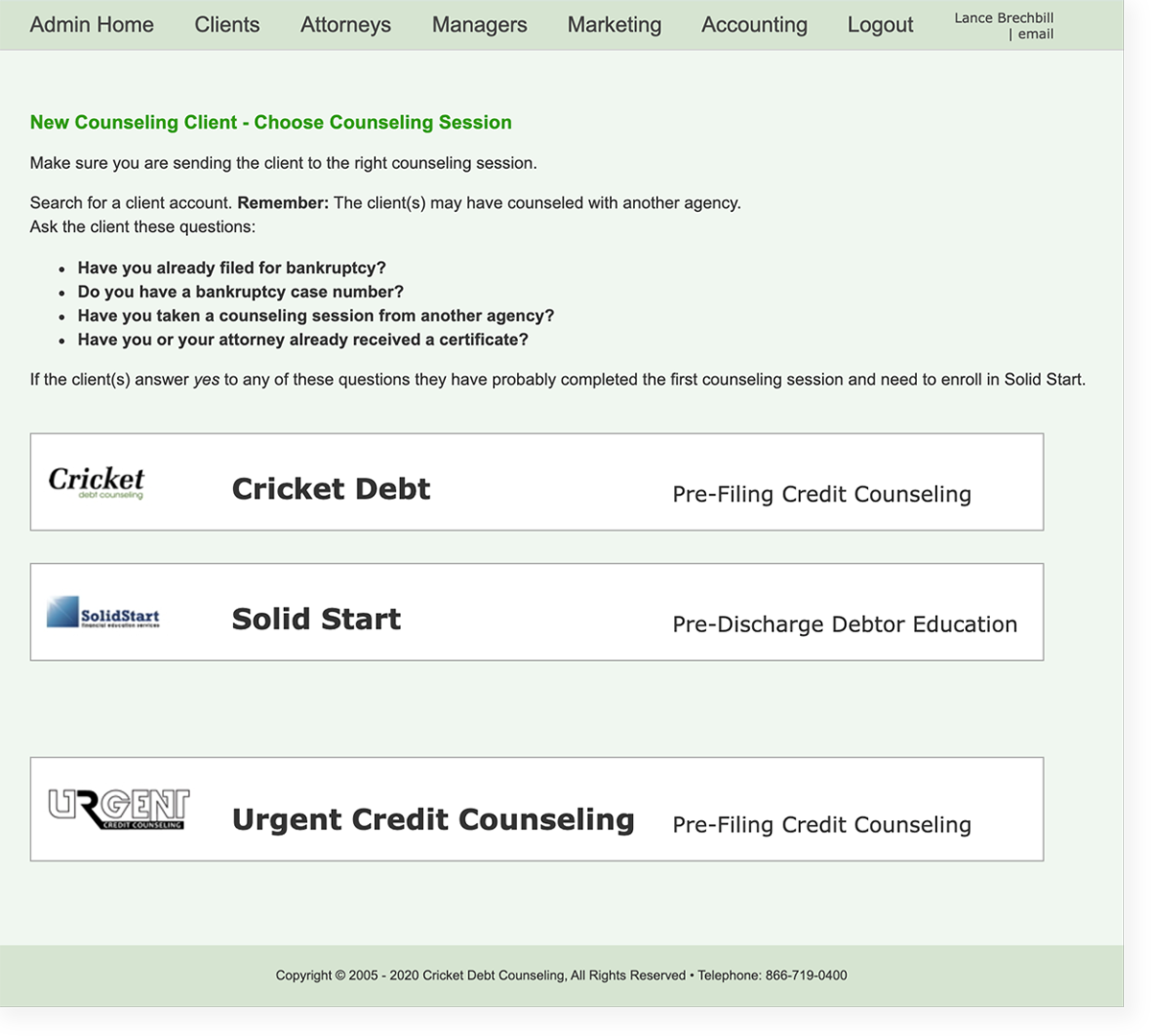
- If the client does not have an existing account, click on the New On-Demand client link and select the Solid Start Financial course.
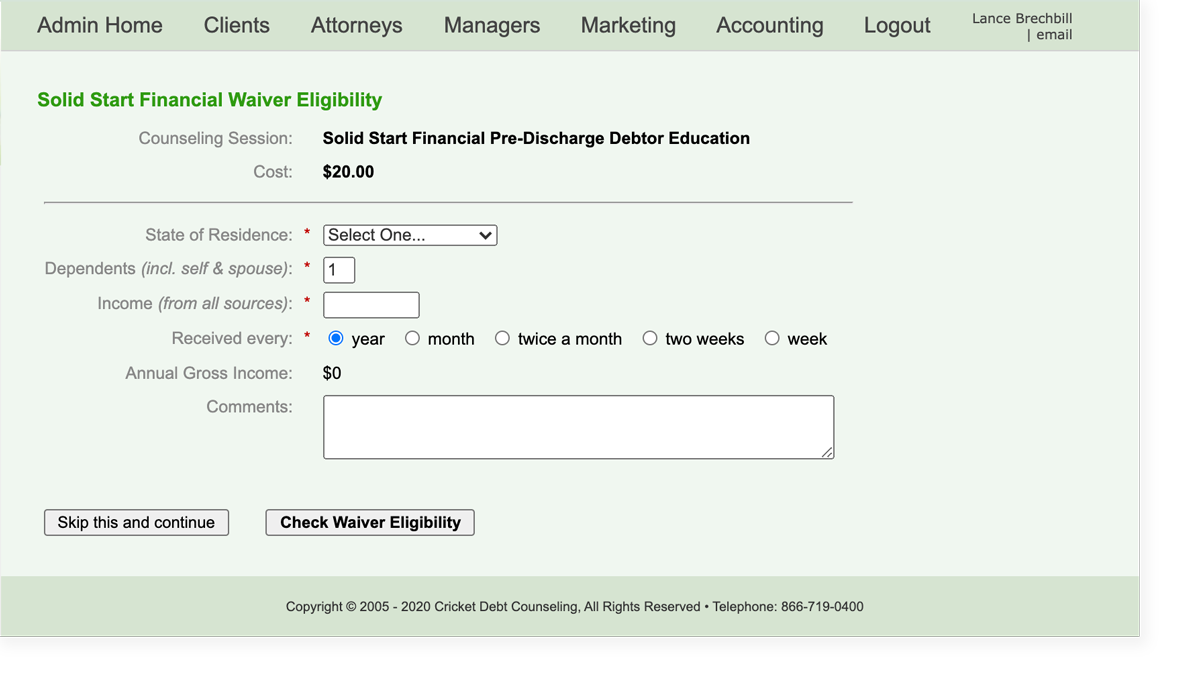
- Ask the client if they would like to pre-qualify for a waiver.
- Complete all registration information.
- Verbally confirm all account information is accurate.
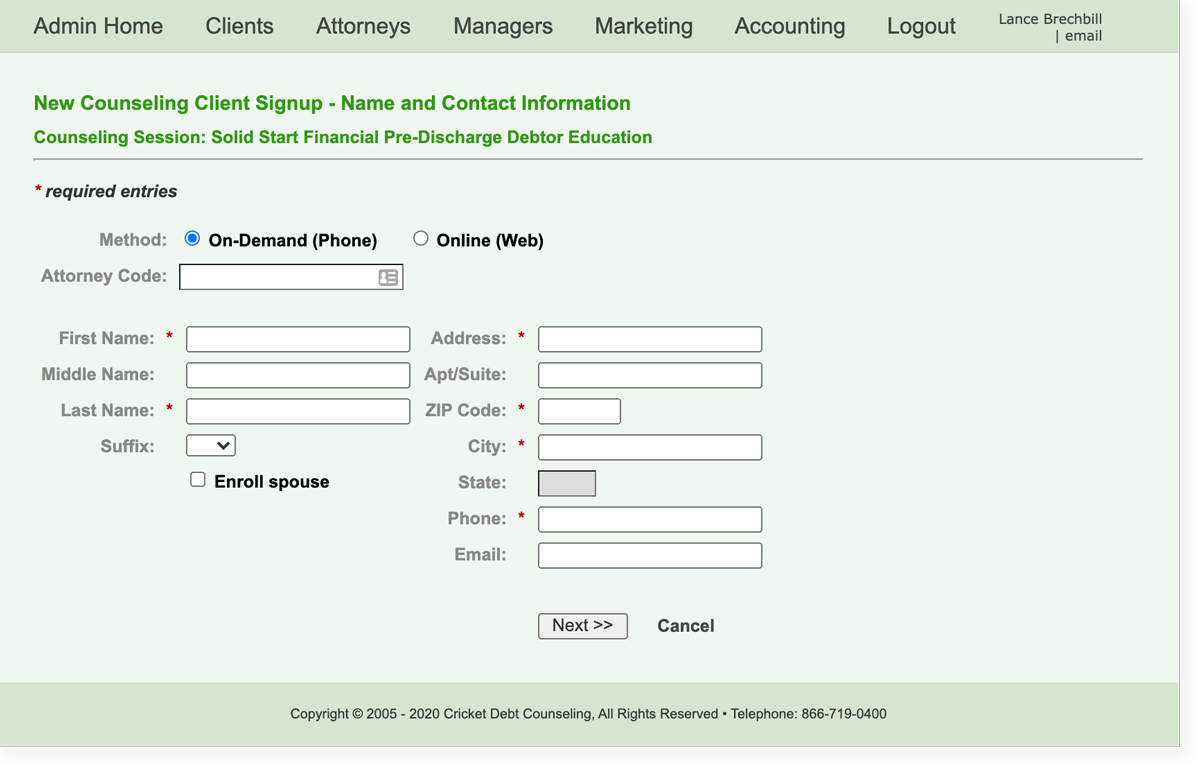
- Course registration is complete once you click on Complete New Client Sign-up.
- Provide the client with the SSF OD phone number and PIN number.
- Detailed instruction for the OD Phone Counseling process is provided to the client on the recording.