SSF – Convert Account From Web To OD or Vice Versa
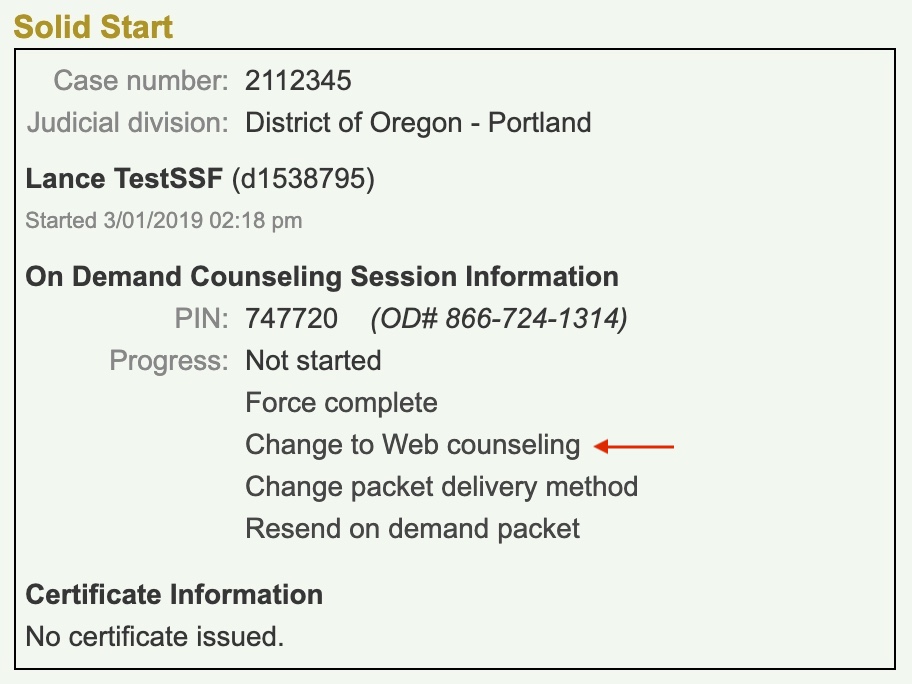
Converting an SSF account from OD to Web
- Advise the client once the account is converted, all progress for the SSF OD session will be lost, they will be starting the web course from the beginning.
- Convert the account to an online course by clicking on “Change to Web” counseling.
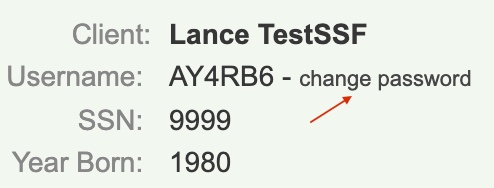
- Provide the client with their system-generated username and create a password by clicking on the change password link.
Converting from Web to OD
- Advise the client once the account is converted, all progress for the online session will be lost and they will have to start the SSF OD course from the beginning.
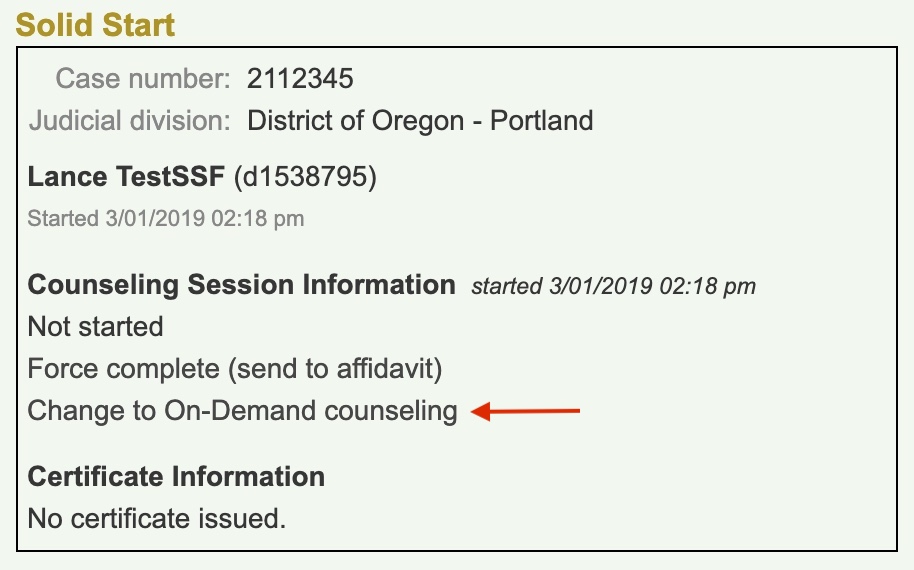
- Convert the course to OD by clicking on Change to On-Demand counseling
-
- It’s not necessary to have clients listen to disclosures, as they have already agreed to them online.
- It’s not necessary to have clients listen to disclosures, as they have already agreed to them online.
- Once converted, the counselor will be prompted to send the SSF OD workbooks.
- Provide the OD phone number, PIN and explain the OD process.
- Offer to transfer into the SSF OD course.