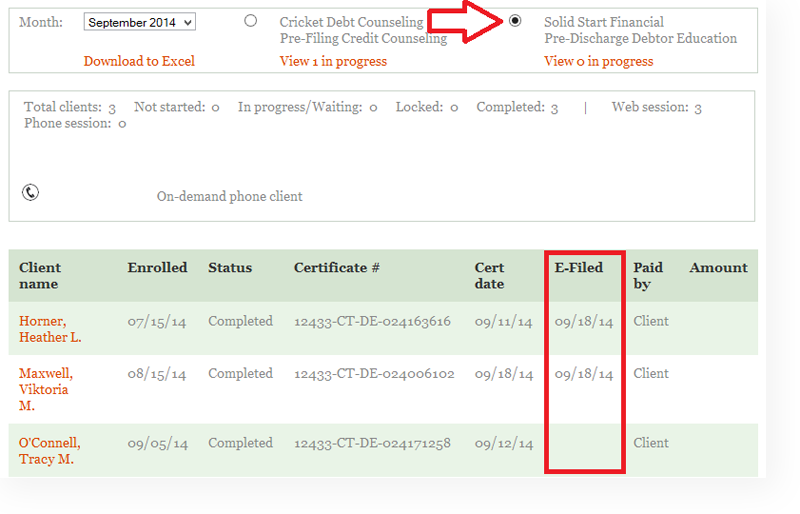

Important Notes:
- eFiling may be unsuccessful for various reasons, among them, a wrong case number, misspelled name, or wrong jurisdiction.
- Certificate corrections** – Once the correction is made the certificate will automatically re-enter the queue for eFiling.
- When the code used is an Attorney Pays on View code, the certificate is not queued to be eFiled until after the attorney has unlocked the certificate.
- We cannot eFile certificates that were issued BEFORE the attorney signed up for the service.
- We cannot eFile a certificate if the client didn’t use an attorney code at registration
- WE cannot eFile a certificate by adding an attorney code after the cert was issued.
- eFiling is not available to Urgent Counseling partner attorneys.
**Not every jurisdiction will allow a second attempt to eFile a certificate. We will attempt to eFile after a cert correction and the attorney will be notified (as usual) if the attempt is successful or not.
eFiling Workflow
- A client signs up for SSF with an attorney code that the attorney has opted-in to eFiling.
- The client completes SSF and their certificate is queued to be issued.
- The certificate is generated and sent by either email or fax as requested.
- The certificate is also sent to a special eFiling queue.
- Once queued, a TL will file the certificate with the courts within 24- 48 hours.
- The attorney will receive an email alerting them whether the eFiling was successful or not.
Opting In To eFiling
Only Cricket Debt partner attorneys can opt-in to have their SSF certificates eFiled with the courts by us directly. To opt-in, the attorney needs to log into their attorney account to sign the opt-in agreement.
A counselor may NEVER OPT-IN for an attorney!
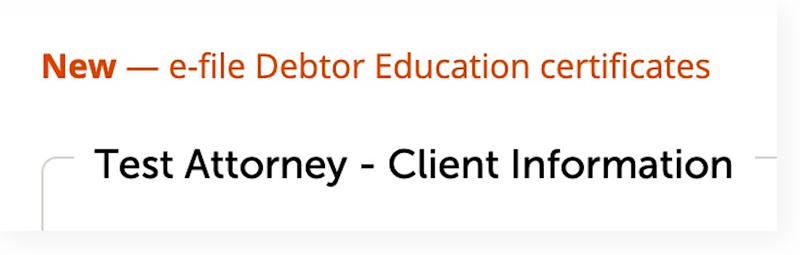
The attorney logs into their account and clicks the link in the upper left of the screen.
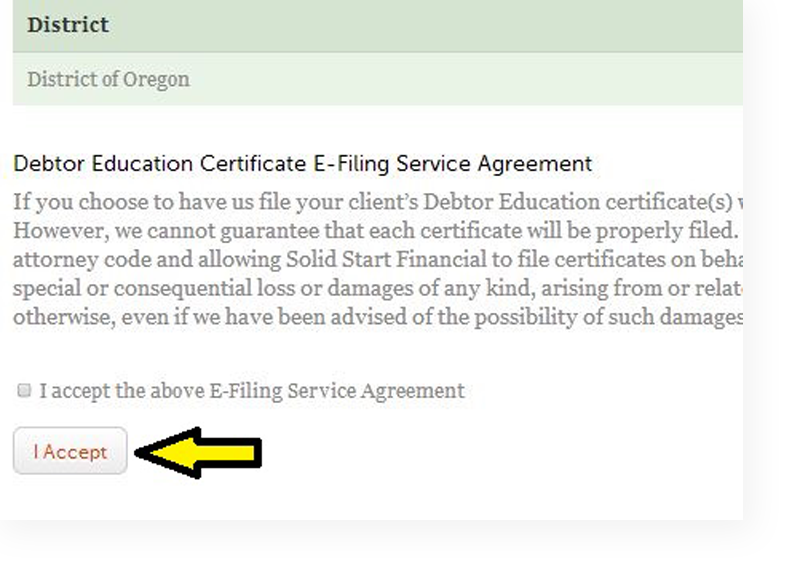
The attorney reads and checks the box to accept the service agreement.
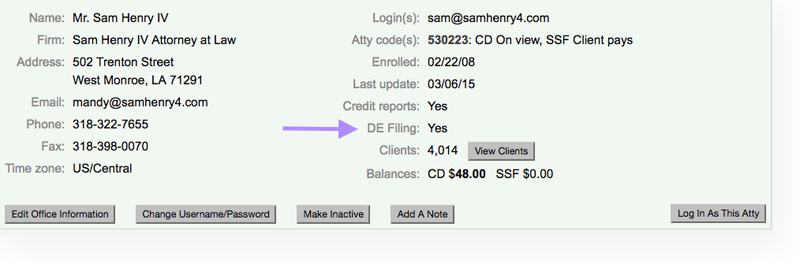
How to know if an attorney has opted-in to eFiling
In the attorney account, the DE filing will either display Yes or No.
How eFiling status displays in a client’s account
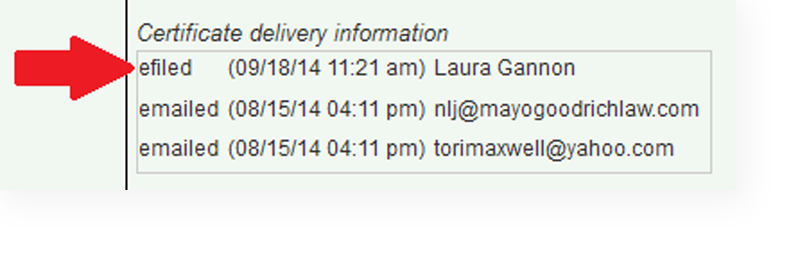
Successful eFiling will show in the certificate delivery information, as below.
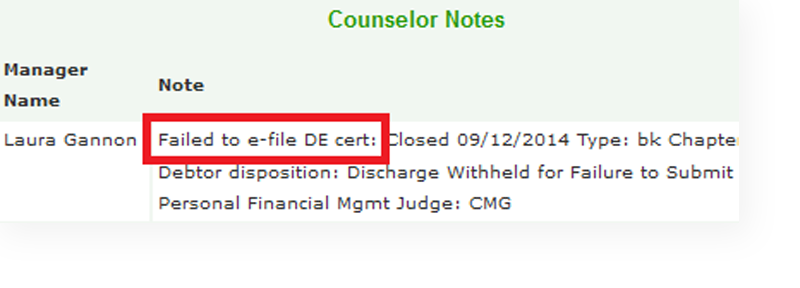
Failed eFiling will not show in the certificate delivery information, but it will be noted on the account, as below.
How an attorney can view eFiled certificates
By clicking on the Monthly Activity tab within their attorney account, attorneys can select the Solid Start Financial and see which certificates were eFiled successfully and on what date.